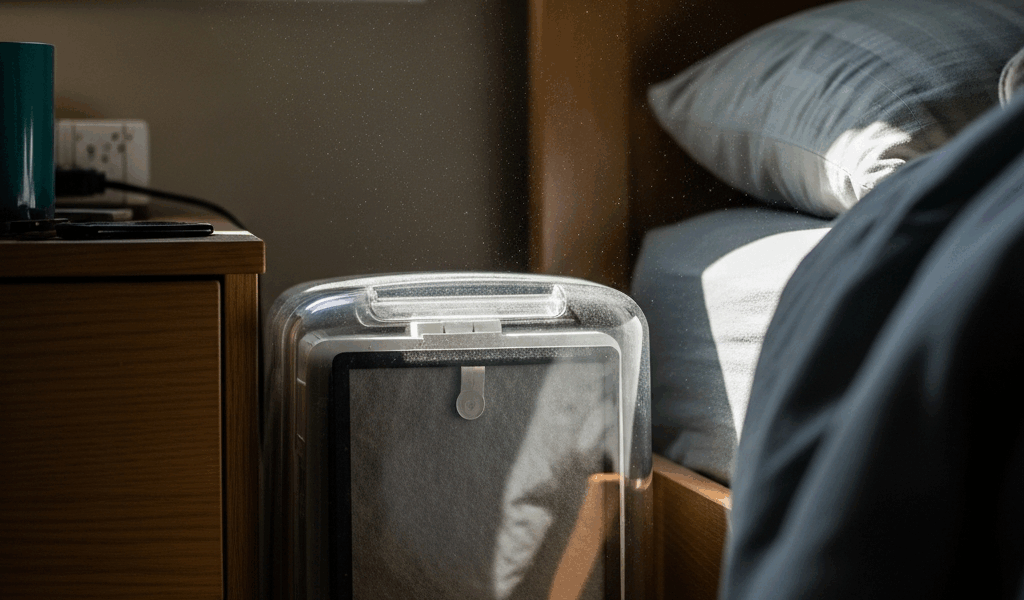
Why Your Air Purifier Is Not Cleaning the Air
Air purifiers have gotten complicated with all the marketing noise flying around. You buy one, plug it in, and somehow your allergies are still wrecking you three weeks later. The fan spins. The little light glows. And yet you can smell last Tuesday’s salmon from across the apartment.
As someone who spent six months troubleshooting a Winix 5500-2 that cost me $300, I learned everything there is to know about why these things fail. Spoiler: mine wasn’t broken. I was just using it wrong in about four different ways simultaneously. After talking with a couple of HVAC technicians and digging through real user failure patterns, I found that most people end up in one of five diagnostic buckets. Today, I will share it all with you — because each bucket has a fix, and none of them require buying a new unit.
So, without further ado, let’s dive in.
How to Tell If Your Air Purifier Is Actually Working
Run three quick tests before you spiral. Two minutes, tops.
First, hold your hand in front of the outlet vent. Steady, noticeable airflow should push back against your palm. A whisper means something is blocking things up. Second — pull the filter and hold it up to a light source. New filters are bright white. Working filters go yellow or gray over time. Dark brown or black? It’s done. Third, glance at your fan speed setting. If it’s parked on “silent” or “low,” that might be your entire problem right there.
Now for a reality check that probably should have come with the box. Air purifiers clean in cycles — not seconds. Walking past one and expecting to smell nothing immediately is like standing next to a space heater and expecting the whole house warm in thirty seconds. That’s not a broken machine. That’s physics.
Every unit has a CADR rating — Clean Air Delivery Rate — which tells you how many cubic feet of air per minute the thing actually processes at max speed. A CADR of 300 refreshes a 300-square-foot room in roughly 15 minutes. But most homes aren’t tidy single rooms. They’re open-concept chaos with vaulted ceilings and connected hallways. That matters more than most people realize.
The Filter Is Clogged or Installed Wrong
Probably should have opened with this section, honestly. Filter problems are the number-one reason air purifiers quietly stop doing their job — and most people never check.
A clogged filter doesn’t just reduce cleaning power. The motor works harder, airflow drops, and the unit starts recirculating dust instead of trapping it. You’re essentially paying electricity to make things worse.
Replacement timelines vary depending on what you’re filtering:
- Pre-filters (the foam or mesh outer layer): every 1–3 months depending on dust load
- HEPA filters (the actual workhorse): every 6–12 months under normal use; every 2–3 months if you have pets or live near a busy road
- Activated carbon filters (odor control): every 3–6 months
To check without fully removing the filter, hold it up to a bright lamp and angle it so light passes through from behind. You should see light coming through most of the material. Opaque and dark? Replace it. Don’t wait.
Don’t make my mistake. I installed a replacement HEPA filter backwards — the directional arrow on the frame was facing the wrong way. The unit still ran fine. Filter looked totally normal. But it was operating at maybe 40% efficiency because air was flowing against the grain of the filter material. That arrow is printed right on the frame. Check it before you slide anything in.
I’m apparently picky about sourcing replacement filters and buying ahead of time works for me while waiting until the filter turns black never does. Popular units like the Levoit Core 300 run $60 to $80 per HEPA filter. Winix 5500-2 filters land around $30 to $50. Order before you need one — not after you’ve already been breathing through a clogged mat for two months.
The Room Is Too Big for the Unit
But what is a coverage rating, exactly? In essence, it’s the maximum square footage where a unit can realistically cycle the air often enough to matter. But it’s much more than that — it assumes a standard ceiling height, a closed room, and the unit running at high speed. Open-concept layouts blow that number apart fast.
A purifier with a 200 CADR rating dropped into a 600-square-foot open living room will never catch up under normal conditions. Physically cannot process enough air fast enough. That’s not a product defect — that’s a sizing mismatch.
Find your unit’s coverage rating. It’s on the box or buried in the manual — something like “suitable for rooms up to 400 sq ft.” Measure your room. Multiply length by width. If you’re significantly over the rated coverage, you’ve found your problem.
Three practical fixes:
- Run it on high constantly. Louder, yes. Electricity bill goes up by maybe $5 a month. But a small unit at maximum speed beats a medium unit coasting on low every single time.
- Close doors and isolate zones. A unit rated for 300 square feet in a 1,200-square-foot home needs to work a smaller territory. Shut the bedroom door. Run it there. Move it when you move rooms.
- Add a second unit. Two smaller purifiers covering separate zones often outperform one larger unit struggling with an open floor plan. More upfront cost — but it actually works.
That’s what makes sizing your unit correctly so endearing to us allergy sufferers. Get it right and the difference is noticeable within an afternoon.
Placement and Airflow Are Killing Performance
Tucked behind your couch in the corner, your air purifier is working in a dead zone. Air circulation is terrible there. The unit pulls air from right around itself, filters it, blows it back out — and the other 90% of the room just stagnates.
Placement matters more than most product listings admit. A unit hidden away processes dramatically less total room air per hour than the spec sheet implies.
Better placement looks like this:
- Center of the room when possible — pulling from all directions instead of one
- Near the actual source of the problem — beside the bed for dust allergies, near the kitchen pass-through for cooking smells
- Elevated on a shelf or small stand in rooms with high ceilings, so clean air doesn’t just settle at floor level before anyone breathes it
- At least three feet from walls, furniture, and curtains — anything blocking intake or discharge vents cuts efficiency immediately
And avoid placing it directly beside an open window. Outside air pours in faster than any residential purifier can process it. You’re essentially filtering a river with a coffee strainer.
Fan Speed Is Too Low for the Conditions
Most people buy a purifier, immediately set it to “silent mode” because the high-speed noise is annoying, and then wonder why nothing changes. On silent mode, most units run at 20–30% of their maximum CADR. They’re barely doing anything.
High speed matters most during these moments:
- Right after setup or a fresh filter install — run on high for the first hour to establish a clean baseline
- During or right after cooking with strong odors
- Smoke events, wildfire season, anything visible in the air
- After vacuuming or during a deep clean, when particles are actively airborne
Auto mode sounds like the smart solution — and it can be. But sensors malfunction. A sensor coated in dust doesn’t read air quality accurately. A sensor sitting in a dead-air pocket reports false calm while the rest of the room is a mess. If your auto mode hasn’t kicked to high speed in weeks, override it manually for a few hours and actually see the difference.
The noise on high is real. Running it overnight at maximum will bother light sleepers — earplugs, honestly. But an hour or two a day on maximum speed during peak pollution windows makes a measurable difference without requiring you to sleep next to a wind tunnel. You don’t have to run it at max 24/7. Just stop leaving it on silent and expecting miracles.
One of these five problems is why your air purifier isn’t cleaning the air. Find which one. Fix it. You’ll notice the difference faster than you’d expect.



Stay in the loop
Get the latest northwestcleanair.com updates delivered to your inbox.